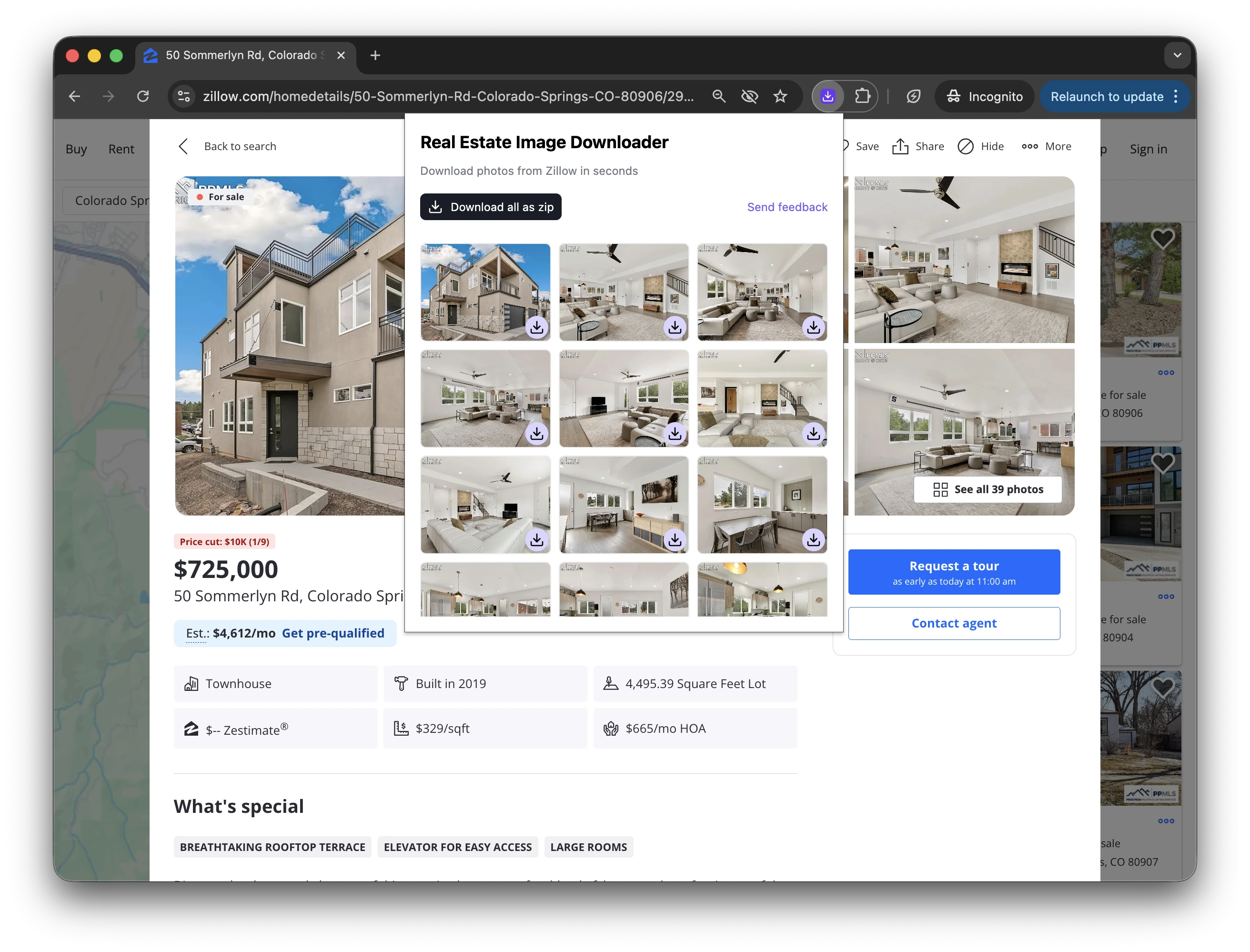

How the Real Estate Image Downloader Works
Browser extensions are lightweight tools you install in your browser to add extra functionality to the websites you visit. Our Real Estate Image Downloader works directly on listing pages, so you can quickly save real estate photos without switching tools.
1. Install the extension from the Chrome Web Store
Add the free real estate photo downloader extension to Chrome.
2. Pin it to your browser toolbar
Pinning makes it easier to open the extension while you browse listing websites.
3. Open a supported listing page
The extension reads the images from the current listing page and prepares them for download.
4. Choose single or bulk download
Download photo by photo, or download all listing photos at once.
How to Download Images from Zillow
If you are searching for how to download images from Zillow, this Zillow image downloader workflow is straightforward: open a Zillow listing, click the extension, and choose whether to download one image or all listing photos at once.
1. Open the Zillow listing page
Navigate to the property page that contains the photos you want to save.
2. Click the Real Estate Image Downloader extension
The extension reads the listing gallery and loads all available images.
3. Download one photo or download all photos
Use single-image download when you only need specific photos, or bulk download to save the full gallery in one action.